
CDL school CRM & marketing automation
Turn More CDL Leads Into Conversations, Appointments & Class Starts.
Give your admissions team one place to manage prospective students, conversations, appointments, and follow-up. We configure the CRM and automations around your school’s recruiting process, so your team can see who needs attention and what happens next.
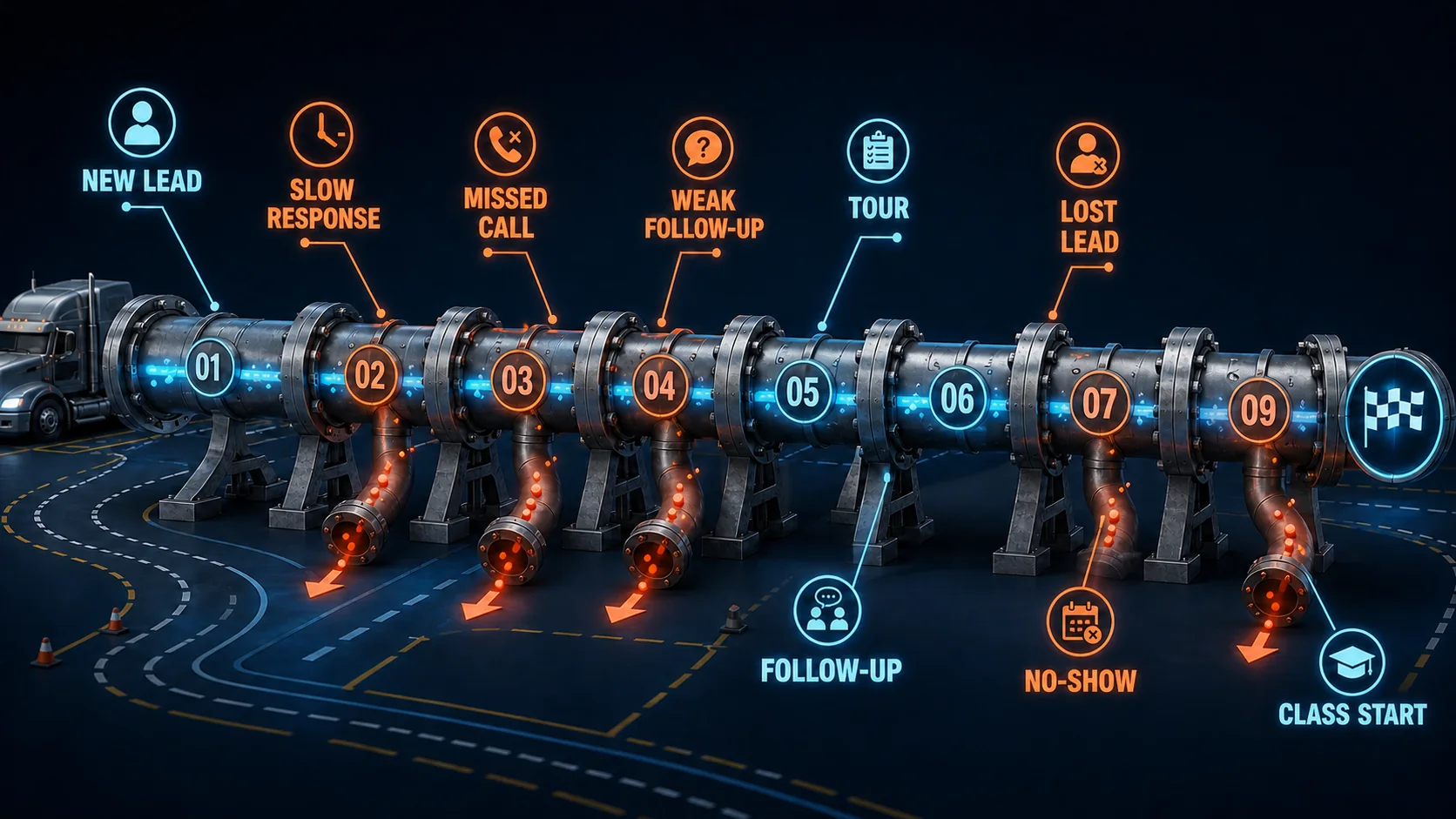
One Recruiting Workspace. Clear Next Steps.
The CRM
The workspace where your team manages student inquiries and recruiting activity: each prospect's calls, texts, emails, notes, appointments and current status.
The automation
Actions we configure to support that work, such as a first reply to a new inquiry, appointment reminders and scheduled follow-up messages.
Your team
Your staff still handle the personal conversations and every enrollment decision.
- New Lead
- Contacting
- Tour Scheduled
- Ready to Start
- Enrolled
These stages are an example. We configure them around the way your school recruits.
Capture Inquiries and Respond
Get new prospective students into the recruiting process quickly, from every place they reach out.
Fast First Response
A new inquiry can get an immediate text or email reply, so the student hears from your school while they're still interested. A recruiter picks up the conversation from there.
Missed-Call Text Back
When nobody can answer the phone, the caller can receive a text so the conversation continues instead of ending at voicemail.
Social Media Leads
Leads from your social campaigns land in the same pipeline as every other inquiry, instead of a separate inbox someone has to check.
Permit Prep Lead Magnet
Offer prospective students permit-prep help before they choose a school. It gives them an earlier reason to reach out and gives your team a reason to follow up.
AI-Supported First Response
Where appropriate, AI can handle simple first-touch messages and common questions, then hand off to your team.
Optional, set up when it fits your school.
Most inquiries start on the website. Explore CDL School Websites
Organize Your Team's Recruiting Work
Recruiters work from one place instead of separate spreadsheets, inboxes, phones and notebooks.
Recruiting CRM
Prospective students, conversations, appointments and recruiter activity in one shared workspace, not just a contact list.
Lead Tracking
See who just came in, who has been contacted, who needs another attempt and who is moving toward enrollment.
Conversation History
Calls, texts, emails and notes attach to the same student record, so anyone on the team can pick up where the last person left off.
Call Recording
Important calls are kept for reference, so managers can review them and coach recruiters.
Calendars
Students can book tours and admissions calls without back-and-forth. Permit-prep sessions can be booked the same way if your school offers them.
AI Assistant
AI can help summarize calls, draft notes and suggest next steps to cut down on recruiter admin work.
Optional, set up when it fits your school.
Keep Follow-Up Moving
Many serious prospects can't start this week. They may be waiting on money, work, funding, a permit or a class date, or comparing your school with an employer-sponsored training program. That doesn't make them a bad lead.
Getting found brings the opportunity in. The recruiting system handles what happens next. Explore Google Maps Visibility
Reminders
Students get automatic reminders before tours, calls and other scheduled next steps.
No-Show Follow-Up
If a student misses a visit, they get a follow-up message with an easy way to reschedule. A recruiter can step in from there.
Long-Term Nurturing
Students who aren't ready yet keep getting appropriate follow-up, without a recruiter having to remember every future touch.
Reactivation
Reach back out to older leads when their timing changes or a relevant class date opens up.
Payments
If your school collects deposits or fees during recruiting, students can get a simple way to complete that step.
Run Recruiting From Your Phone
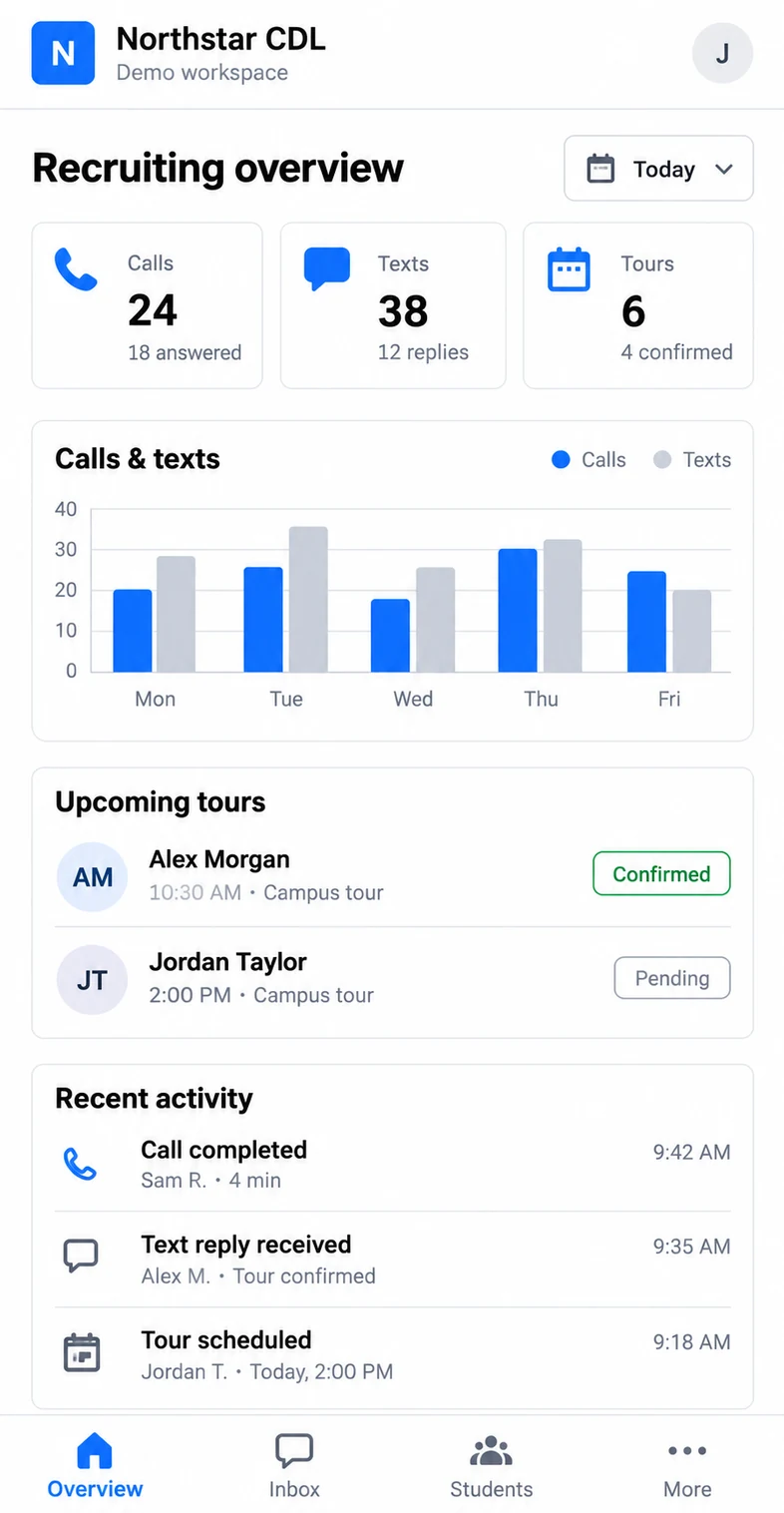
Calls, texts, tours and recent activity stay visible wherever you are — in the office, on the range or between classes.
The view below is a fictional demo workspace. It shows the kind of daily recruiting picture your team can check at a glance.
Built Around Recruiting Work That Handled Real Volume.
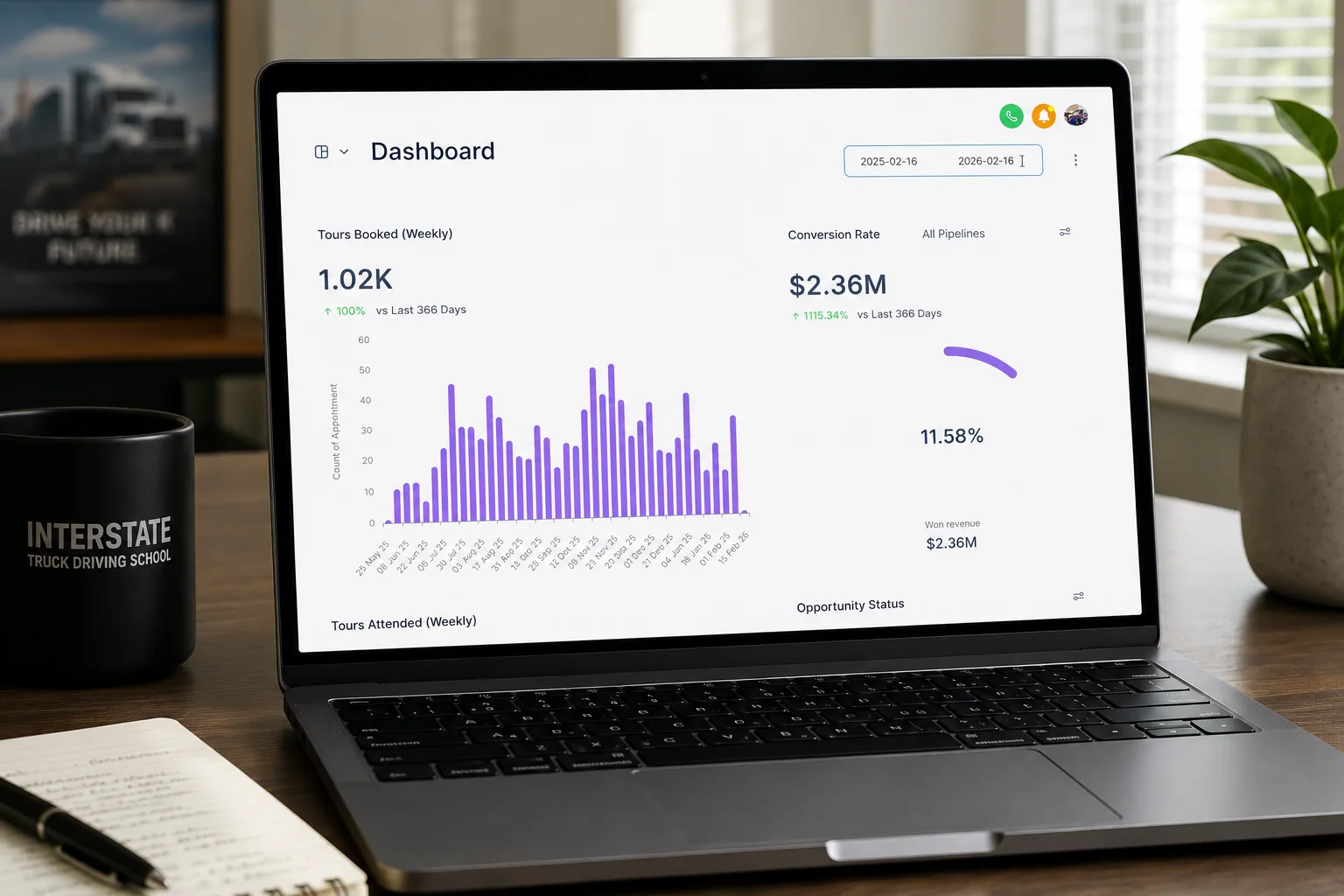
The recruiting system supported real CDL-school activity involving leads, inbound calls, school tours, follow-up and class starts.
Student Revenue Supported
Leads Handled in Peak Months
Inbound Calls Organized & Tracked
Based on work performed for Interstate Truck Driving School under former owner Bill Collins. Past results are not a guarantee of future results.
See the Recruiting System in Action.
Northstar CDL Academy is a demonstration school we built, not a real client. See how a prospective student moves from a website inquiry into response, scheduling and recruiter follow-up, and what the recruiting team sees on the other side.
Common questions
Questions About Recruiting & Automation.
Start the conversation
See Where Your Recruiting Process Is Losing Time and Students.
We'll look at what happens after a prospective student reaches out—from response and lead tracking to scheduling and follow-up—and show you where the biggest gaps may be.
You do not need to know what system or automation you need before we talk.